Premium Features#
Lens Desktop premium features cover cloud cluster discovery, GitOps visibility, AI-assisted troubleshooting, security scanning, and quick-access tooling.
14-day free trial
New Personal subscription users get a free 14-day trial with full access to all premium features. See Trial for details.
Automate repetitive tasks:
- Auto-discover clusters from AWS EKS and Azure AKS accounts, eliminating manual kubeconfig management.
- Track GitOps state with the Flux CD and Argo CD dashboards, seeing reconciliation, sync and health status, drift, and failures across clusters without the
fluxorargocdCLI. - Scan for vulnerabilities across images and workloads directly in Lens Desktop with Security Center, replacing manual audit workflows.
Tackle complex tasks:
- Troubleshoot with AI using Ask AI, which connects your chosen AI tool to your cluster with live context.
- Connect external AI assistants to your clusters via the Lens MCP Server and the Model Context Protocol.
Premium features are included with Plus, Pro, and Enterprise subscription plans. For details, see Lens Pricing.
Premium capabilities#
| Category | Feature | Description |
|---|---|---|
| Kubernetes Cloud Environments | AWS EKS | Discover and connect to EKS clusters across your AWS accounts |
| Azure AKS | Discover and connect to AKS clusters across your Azure subscriptions | |
| AI & Intelligence Integrations | Ask AI | Summarize and analyze logs, metrics, events, and related resources for any Kubernetes object with the AI CLI of your choice |
| Lens MCP Server | Use Claude Code, Codex, or any MCP-compatible client to inspect and manage your clusters | |
| Security & Accessibility | Security Center | Centralized vulnerability scanning and security posture management for your clusters |
| Hotbar | Quick-access bar for your most-used clusters | |
| GitOps | Flux CD | See reconciliation health, drift, failures, and recent activity across every Flux resource, without leaving Lens |
| Argo CD | Track sync and health across every Argo CD Application, sync or refresh them, and open the Argo CD UI, without leaving Lens |
Requirements#
- Lens Desktop installed and signed in with a Lens ID
- A Plus, Pro, or Enterprise subscription plan, or a Personal subscription with an active trial. For details, see Lens Pricing
- Internet connection for cloud environment connectors and subscription validation
Trial#
New users on a Personal subscription receive a 14-day trial with full access to all premium features. During the trial:
- All premium features work without restrictions.
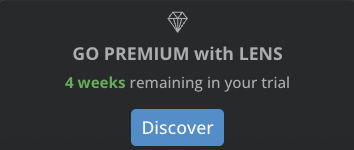
- A countdown appears on the Premium Features button at the bottom of the navigation panel, showing your remaining trial days.
- The Premium Features dashboard shows contextual messages as the trial progresses.
When the trial expires, premium features return to their locked state. Locked features remain visible in the UI but their functionality is disabled. Your configurations and settings are preserved. Upgrade to restore access.
Premium Features dashboard#
The Premium Features dashboard is available exclusively for Personal subscription users with an active trial. Open the dashboard from any of the following entry points:
- The Premium Features card on the Welcome page.
- Help > Lens Premium Features.
-
The Discover button under GO PREMIUM with LENS at the bottom of the Navigator:
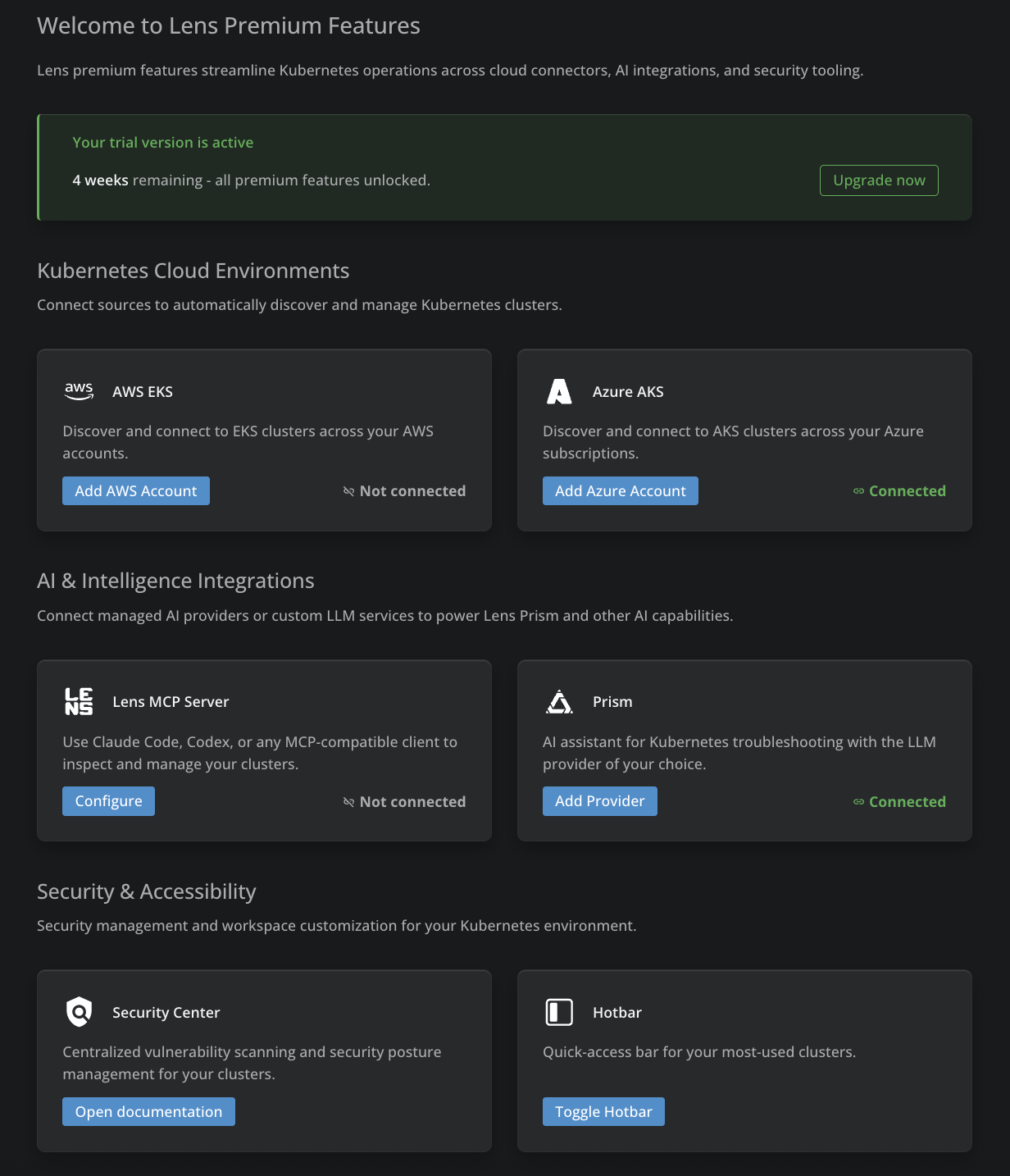
The dashboard groups every premium capability into three sections (Kubernetes Cloud Environments, AI & Intelligence Integrations, and Security & Accessibility), each with a card per feature, a short description, an action button, and a connection status indicator.
Limitations#
- The Lens MCP Server operates in read-only mode only