Work with Ask AI#
Lens premium subscription feature. See details on Lens Pricing.
Ask AI turns plain-language questions into cluster investigations. This page collects example prompts for common tasks, from inspecting workloads to troubleshooting a failing deployment. To open a session and find the per-resource entry points, see Using Ask AI. Then enter prompts like these.
Inspect workloads and namespaces#
Ask, for example:
- "List the pods in the podinfo namespace and their status."
- "Which pods are not in the Running state, and why?"
- "What is deployed in the flux-system namespace?"
- "Show the deployments across all namespaces and their ready replicas."
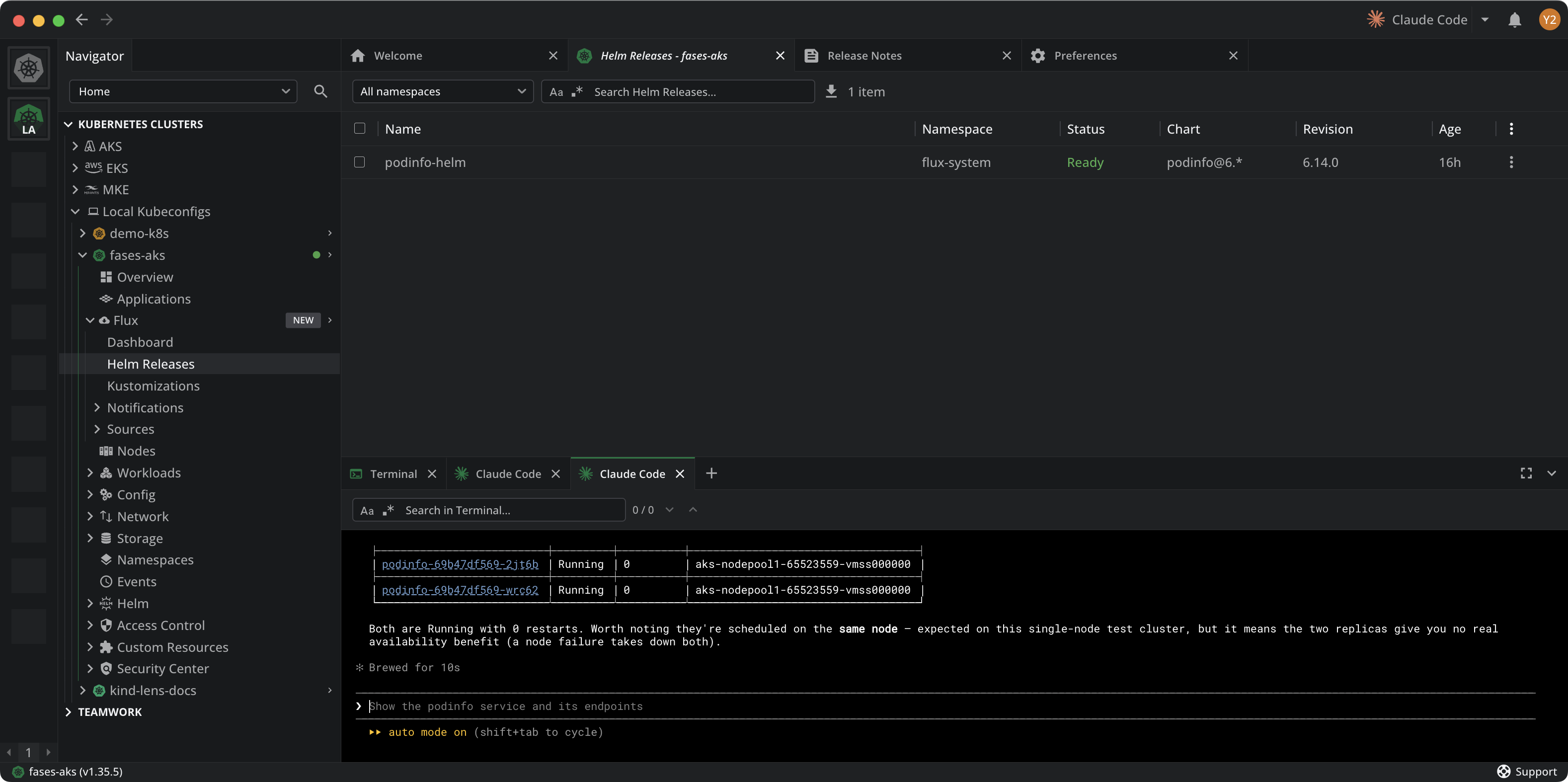
The image below shows Ask AI listing the podinfo pods with their status, restart count, and node, and pointing out that both replicas sit on the same node.
Read logs#
Ask, for example:
- "Show the last 100 log lines for the podinfo deployment."
- "Are there any errors in the logs of pods in the podinfo namespace?"
- "Summarize the logs for the pod that keeps restarting."
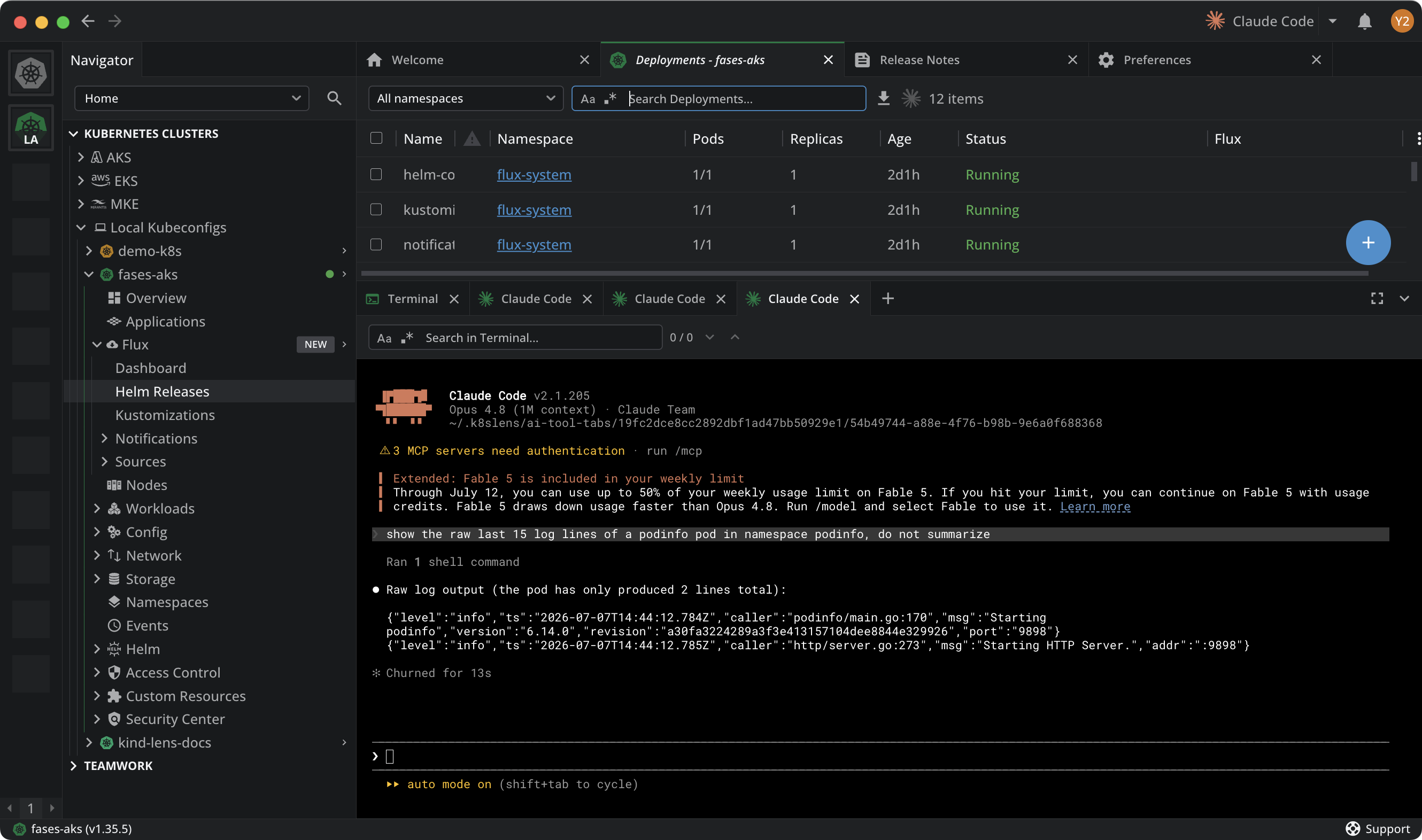
The image below shows Ask AI printing the raw podinfo startup log lines instead of a summary, so you can read the exact output.
Troubleshoot a failing workload#
Ask, for example:
- "Why is the podinfo pod restarting?"
- "Diagnose why the deployment in the podinfo namespace is not ready."
- "A pod is stuck in Pending. What is blocking it from scheduling?"
- "Explain the recent events in the podinfo namespace."
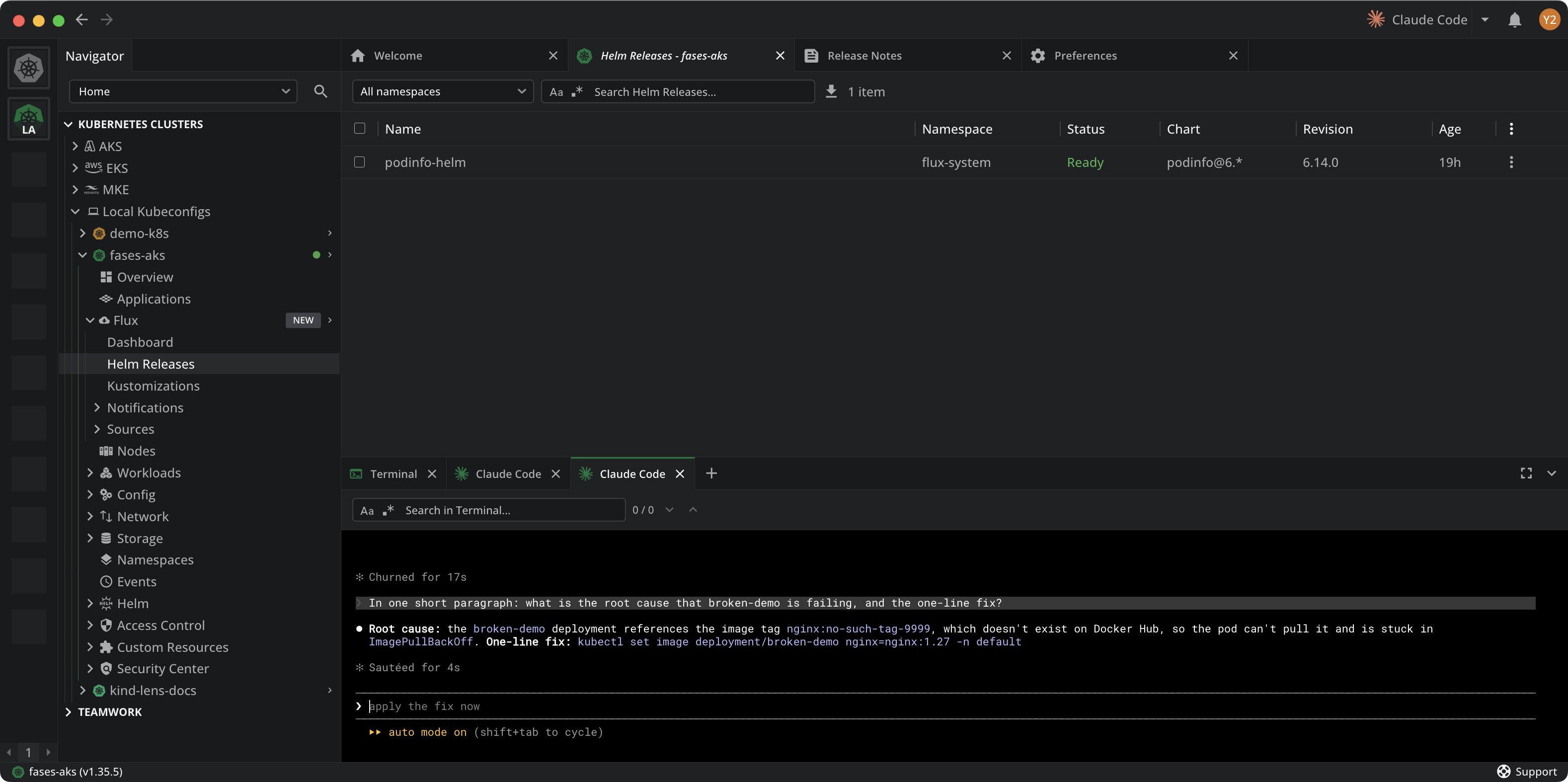
The image below shows Ask AI diagnosing a failing deployment: the root cause is an image tag that does not exist, so the pod is stuck in ImagePullBackOff, and it returns the one-line kubectl fix.
Inspect resources and configuration#
Ask, for example:
- "Show the resource requests and limits for the workloads in podinfo."
- "What image and tag is the podinfo deployment running?"
- "List the services in podinfo and the ports they expose."
- "Which config maps and secrets does the podinfo deployment use?"
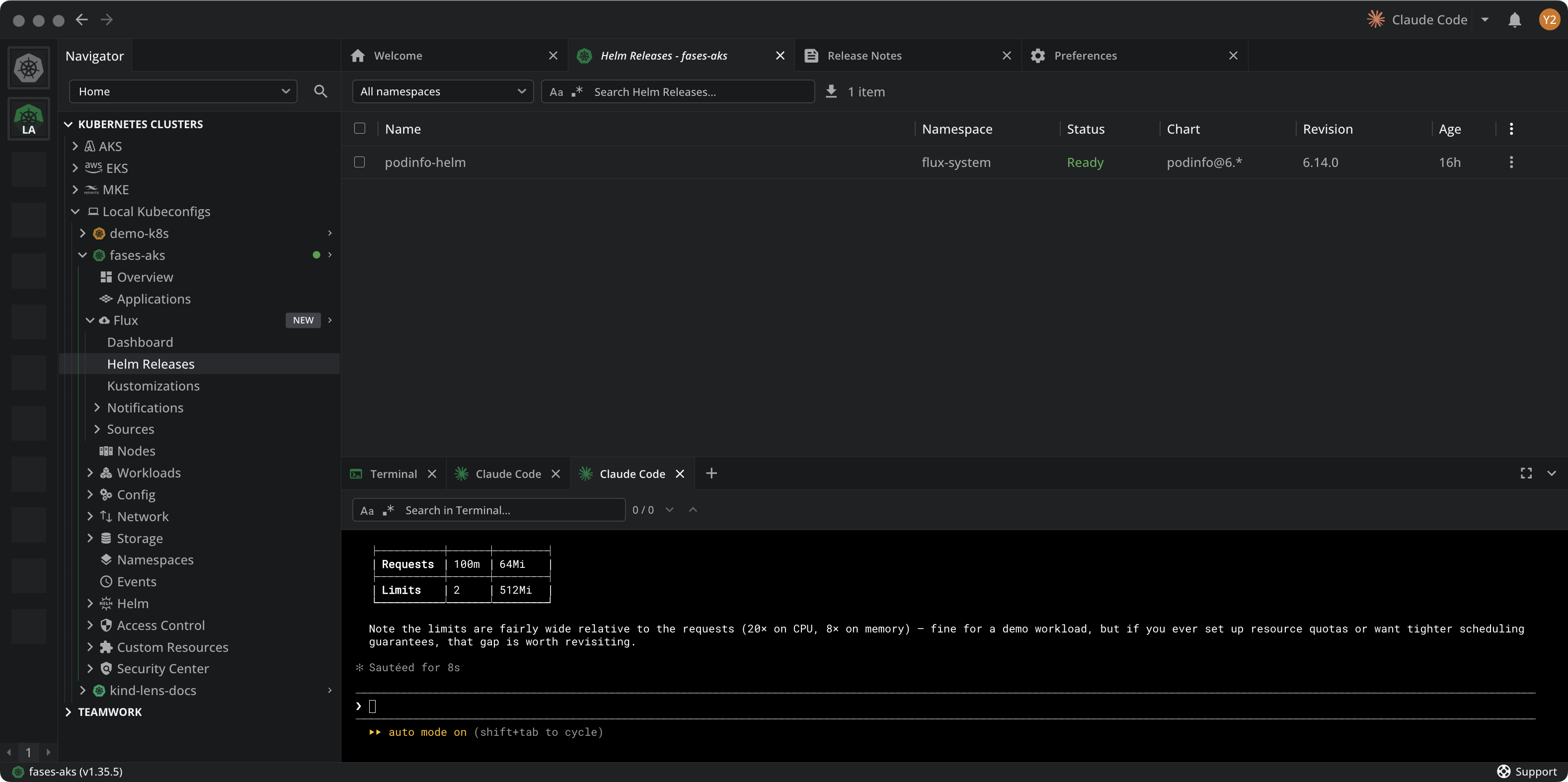
The image below shows Ask AI reporting the podinfo CPU and memory requests and limits, and noting that the limits are wide relative to the requests.
Review a deployment for issues#
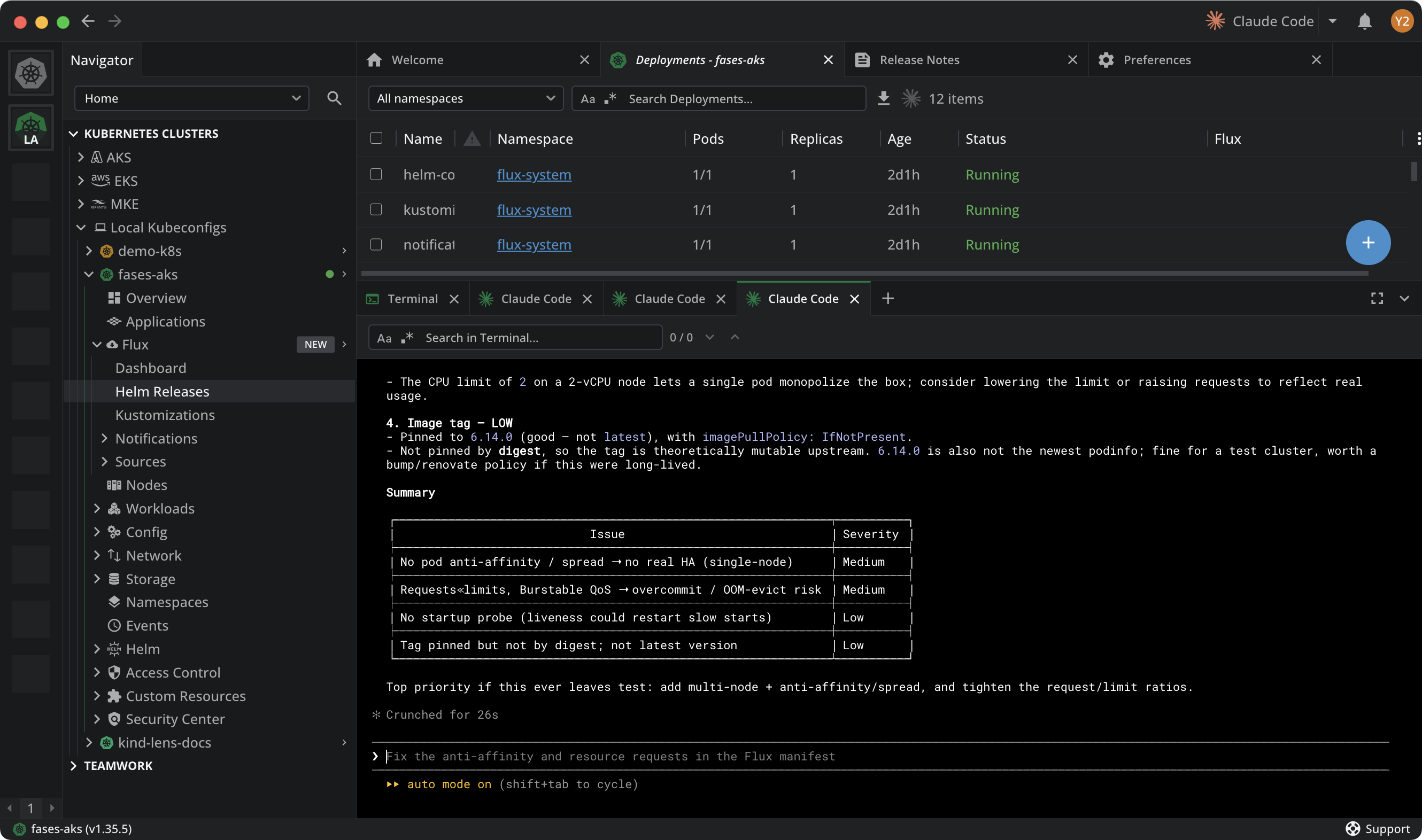
Ask AI can audit a workload end to end, then rank what it finds by severity. This works well before a production rollout, or when you inherit a deployment and want a quick risk read.
Ask, for example:
- "Review the podinfo deployment and list concrete issues and risks, with a severity for each."
- "Check the podinfo deployment for pod anti-affinity, health probes, and request-to-limit ratios."
- "Is the podinfo deployment production-ready? What would you change before a production rollout?"
- "Which of these issues would cause downtime under node failure, and which are cost or hygiene?"
The assistant inspects the deployment, its pods, and their placement, then returns the problems it found. The image below shows a review of the podinfo deployment: it flags the lack of pod anti-affinity, a wide request-to-limit ratio, and a missing startup probe, each with a severity.
Info
Ask AI runs through the external AI coding agent you select, which decides the commands to run. Review any command that changes your cluster before you allow it. To start from a specific resource instead of a prompt, see Ask AI from a resource table.