Configure Flux CD#
Lens premium subscription feature. See details on Lens Pricing.
Lens K8S IDE detects Flux from the custom resource definitions (CRDs) in your cluster and adds a Flux entry to the cluster navigator. You do not need any other setup inside Lens K8S IDE. To see reconciliation status and activity, the Flux controllers must be running in the cluster.
You need a Plus, Pro, or Enterprise subscription plan, or a Personal subscription with an active trial (see Lens Pricing ), and a connected cluster with the Flux controllers and their CRDs installed (source.toolkit.fluxcd.io, kustomize.toolkit.fluxcd.io, helm.toolkit.fluxcd.io, and related groups).
Deploying Flux is outside the scope of this documentation. See the Flux installation guide for installation instructions covering every method.
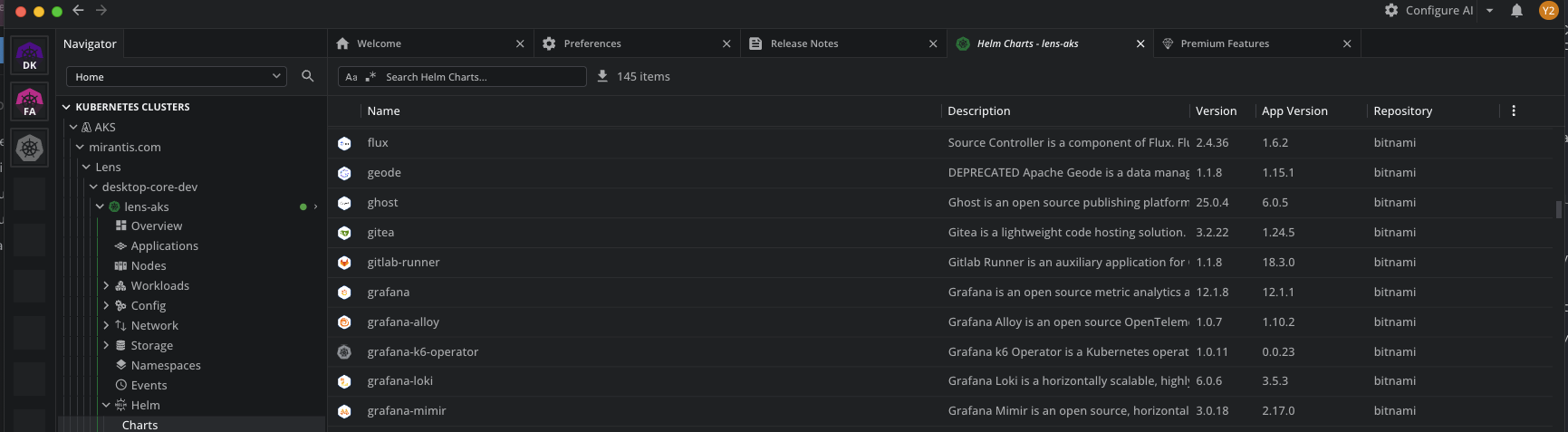
Lens K8S IDE includes a Helm charts browser, so you can install Flux from a Helm repository without leaving the app. In the cluster navigator, select Helm > Charts, search for a Flux chart, and install it. For details, see Manage Helm charts.
Lens K8S IDE also enables Ask AI as a second path: ask your AI tool "Deploy Flux in this cluster."
Not a Lens-supported installation path
The Helm charts browser and Ask AI are tools in Lens K8S IDE, not part of Lens's support for Flux: you manage its configuration, upgrades, and operation independently.
View the Flux entry#
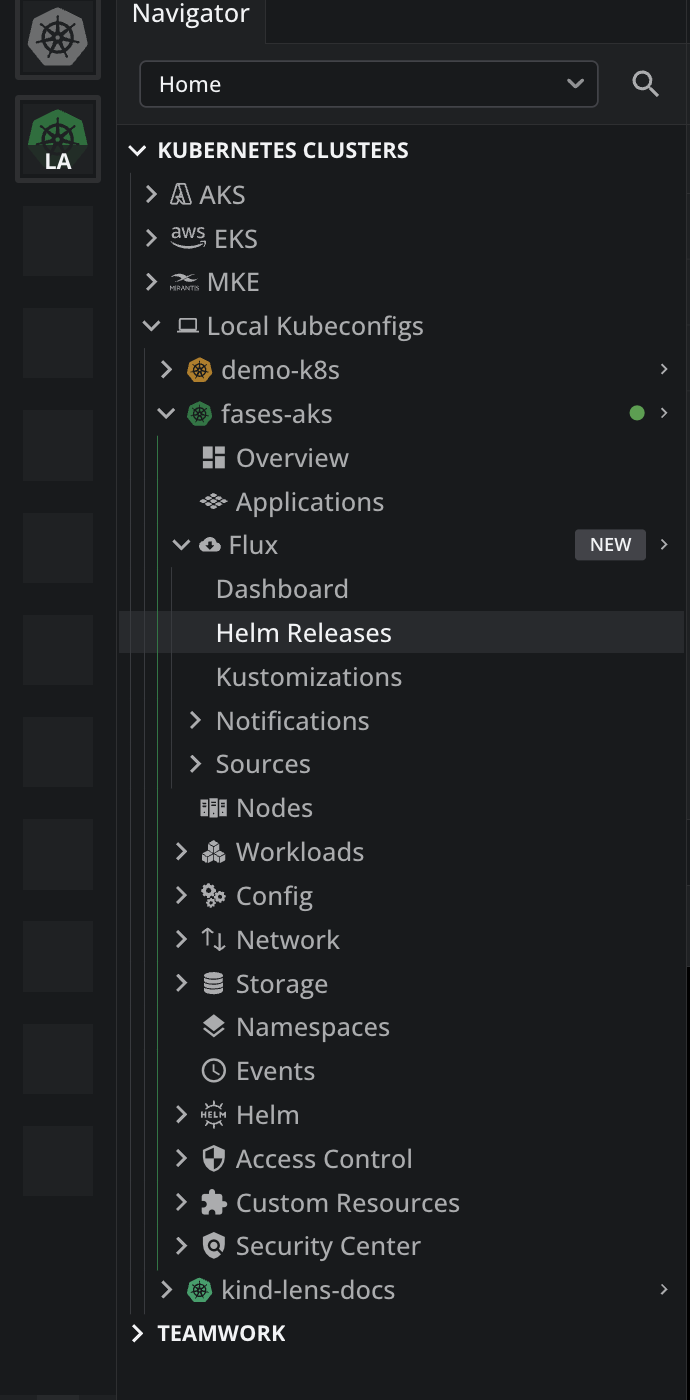
The Flux entry is added to the cluster navigator automatically when Flux CRDs are detected in the connected cluster.
Reconnect to refresh the Navigator
The Navigator updates during the cluster connection process, when Lens K8S IDE reads the cluster's CRDs. Disconnect and reconnect the cluster after installing or removing them to refresh it.
To open Flux:
- Connect to a cluster that runs Flux.
- In the cluster navigator, select Flux.
Info
Flux access has three states: available, disabled by your administrator, and not included in your subscription. When access is unavailable, the Flux views show an upsell page instead of cluster data. Your administrator can disable the feature for managed installations.